When it is on, everybody who fills in your contact form gets an email back straight away with your words in it. It carries your business name and your colour, and when they hit reply it comes to you rather than to us.
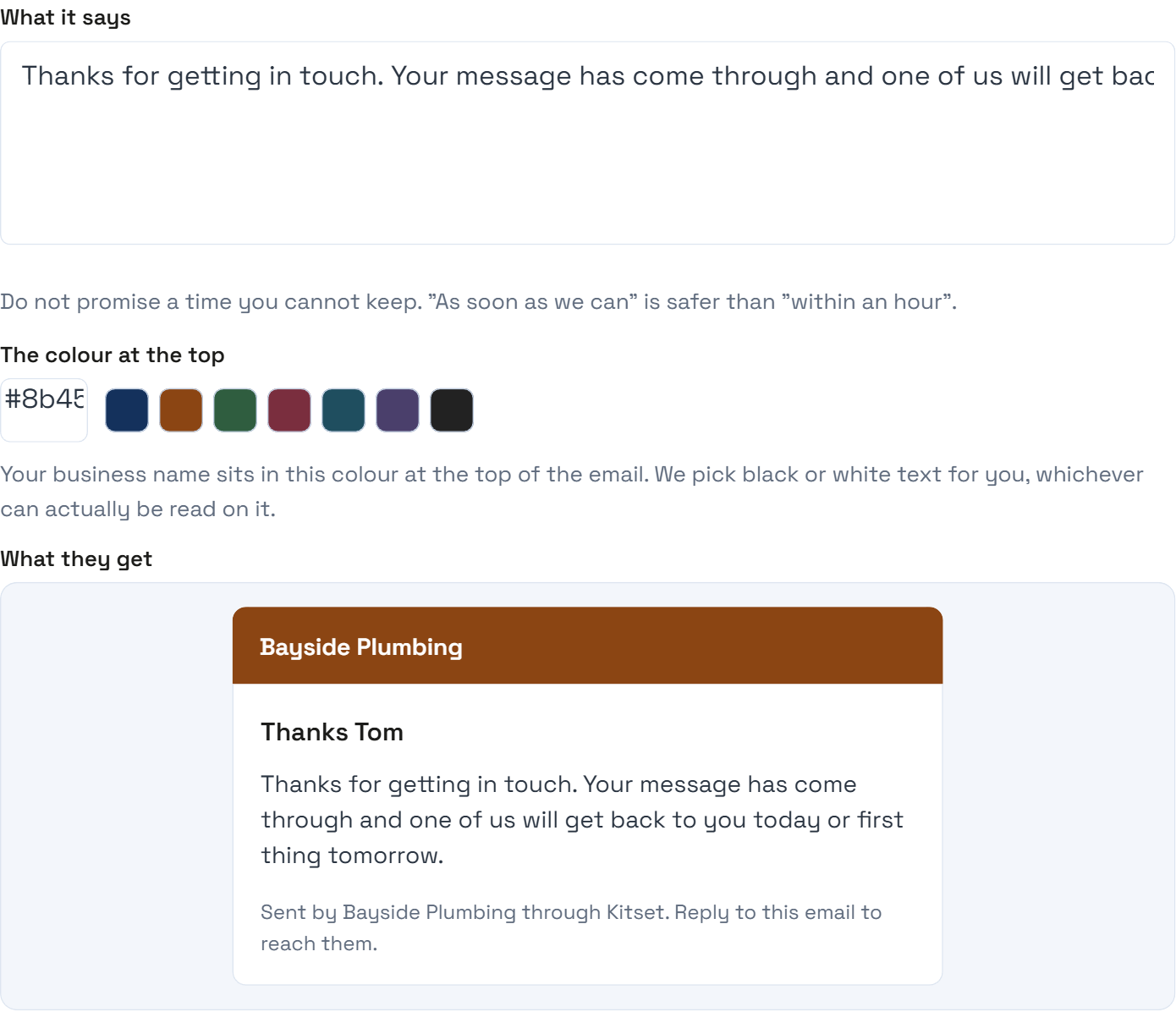
What it is not is an answer. It buys you the time to give a real one, so the words matter: say what happens next and roughly when, in the way you would say it on the phone. What you should not do is promise a time you cannot keep. "As soon as we can" costs you nothing if you are on a job all day; "within the hour" is a broken promise the first time you are under a house.
You can put your logo on it, a picture across the top, your own subject line, and a sign-off with your name and phone number. Worth knowing about the logo: most email programs do not load pictures until the reader asks them to, so the first thing many people see is your business name as plain text where the logo would be. That is deliberate. A logo that has not loaded should never leave a blank space where your name ought to be.
The sign-off is the part that does the most for the least effort. "Cheers, Sarah" and a mobile number turns a system message into a person, and somebody who has your number can ring you instead of waiting.
One thing to know about where it comes from. The email leaves Kitset's address with your name on it, reading as "Bayside Plumbing (via Kitset)", rather than from your own domain. Sending as you would need DNS records set up and verified on your domain for email, and without them most inboxes quietly bin it. An email that arrives honestly beats one that does not arrive.
Step by step
Open Enquiries in your dashboard and find "Reply automatically".
Turn the switch on.
Write what it should say.
Two or three sentences. Who you are, that you have got it, and when they will hear back.
Press Save.
Now open the Emails page, where how it looks lives.
It is there rather than here because the same colour, logo and sign-off are also on the email that tells YOU somebody has been in touch.
Pick the colour for the bar at the top, or use one of the ones offered.
Your business name sits in it. We choose black or white text for you, whichever can actually be read on the colour you picked.
Add your logo if you have one.
A PNG with a see-through background sits best on a coloured bar. If you do not have one, leave it: your business name is shown instead, which is not a worse email.
Write your own subject line, or leave it and we write one.
You can use {first}, {name} and {site} in it. "Thanks {first}, Bayside Plumbing has your message" reads better in an inbox than "Automatic reply".
Put your name and mobile in the sign-off.
Check the preview underneath. That is exactly what a stranger receives.
Press Save there too, then send yourself a test message from your live site.
If it does not go to plan
My logo is not showing in the email.
Almost always the reader's email program blocking pictures until they choose to load them, which most of them do by default. That is why your business name is used as the logo's description: somebody with pictures switched off sees the name rather than an empty box. Check the preview in your dashboard - if it looks right there, the email is right.
What size should the logo be?
Anything reasonable. We shrink it for you when you upload it, and it is shown about the height of a line of text. A wide logo works better than a tall one, because it sits in a bar rather than in a square.
Can I turn it off again?
Yes, the same switch. Nothing else changes and your words are kept, so turning it back on later does not mean writing it again.
Why can it not come from my own email address?
Because it would not arrive. Sending as you needs SPF and DKIM records on your domain, verified with the mail provider. Without them Gmail treats it as forgery and bins it silently. If that matters to you, tell us and we will talk about setting it up properly.
Will it reply to spam?
Obvious rubbish is filtered before it reaches this. Something that gets through would get one copy of your thank-you note, which is true of every contact form on the internet.
My colour looks wrong in the email.
Check the preview first, since that is what actually goes out. If they disagree, tell us: that is a bug on our side.