Most website tools show you a form on one side and a preview on the other, and you spend your time guessing which box controls which bit. Kitset does not do that. The page in front of you is the page, and you edit it in place, so what you see while you type is what a customer will see.
Your changes save as you go. There is no save button to forget, and closing the tab does not lose anything. Remember that saving and publishing are different: your edits are safe the moment you make them, and they reach the public when you press Publish.
Photos work the same way. Click one, choose a replacement, and it swaps. You do not need to resize anything first. A photo straight off a modern phone is enormous, several megabytes, and we shrink it for you so your page still loads quickly on mobile data.
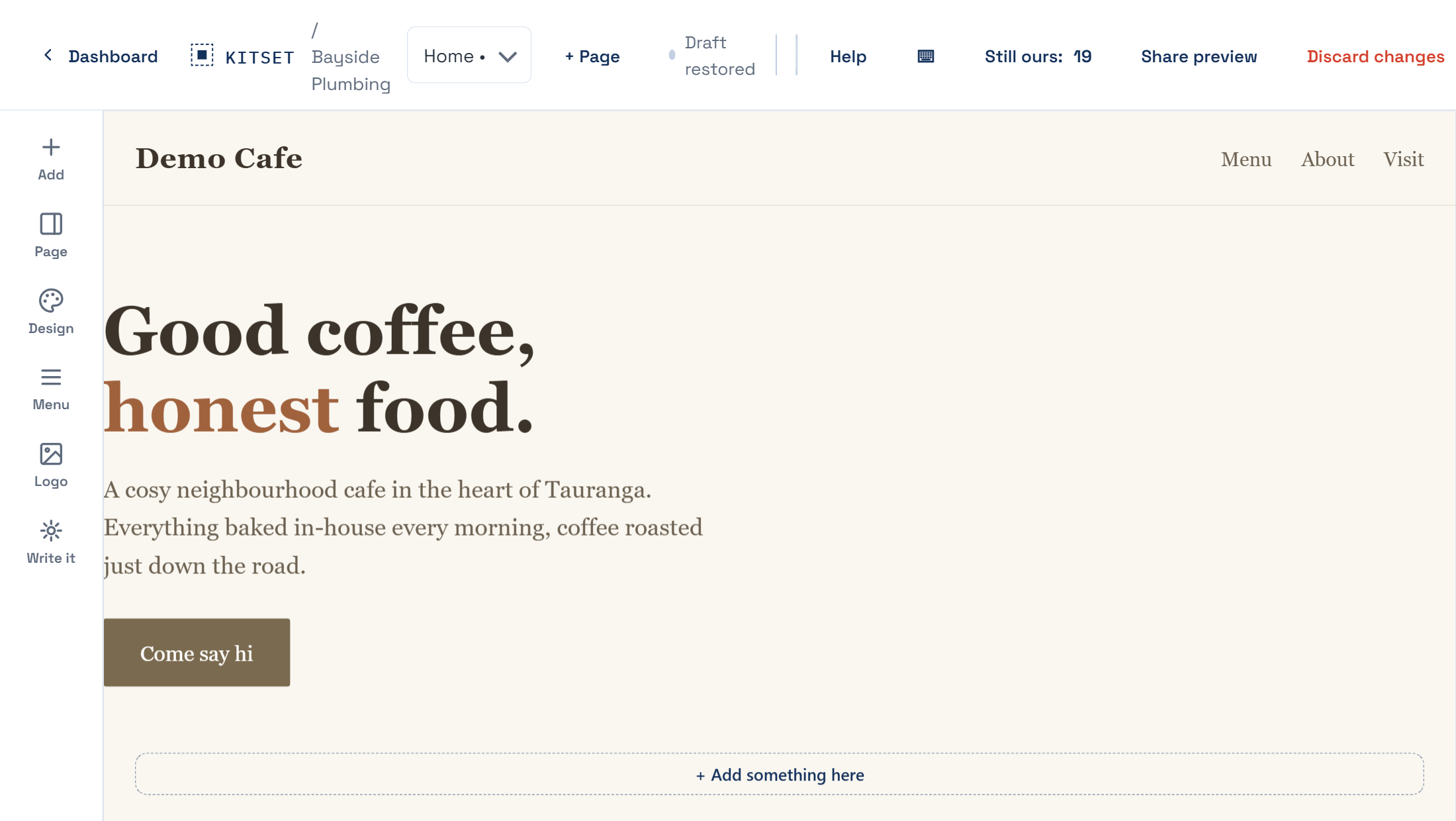
Step by step
Open the editor from your dashboard.
Click any piece of text and type. It saves as you go.
Click a photo to swap it for one of yours.
Landscape photos suit wide spaces, portrait suits narrow ones. If a photo looks oddly cropped, that is usually the shape rather than the picture.
Right-click anything for the rest of the options, including moving and deleting it.
Press Publish when you want the changes to be public.
If it does not go to plan
I cannot click the thing I want.
Some parts belong to a section rather than sitting loose on the page. Right-click near it and you will get the section options instead.
I made a mess.
Nothing is public until you publish, so the live site is untouched. You can also start the page again from the page menu, which puts it back to how the kit shipped it.
My photo looks blurry.
It was probably small to begin with. A photo saved from Facebook or copied out of a document is often only a few hundred pixels wide. Use the original if you still have it.