When you change a DNS record, the change does not reach everybody at once. Computers all over the world keep their own copy of where your domain points, and each holds that copy for a set time before asking again. So your domain can be working for us and not yet for you, or working on your phone and not on your laptop.
This is why we say wait before we say fix. Most "it is not working" messages we get about domains arrive inside the first hour, and most of those would have sorted themselves out over lunch.
What is worth checking during the wait is whether you typed the records correctly, because a typo waits forever. Compare what is at your registrar against what your dashboard shows, character by character. The mistakes we see most are a missing dot, an extra space on the end of a pasted value, and records added to the wrong domain in an account that has several.
Step by step
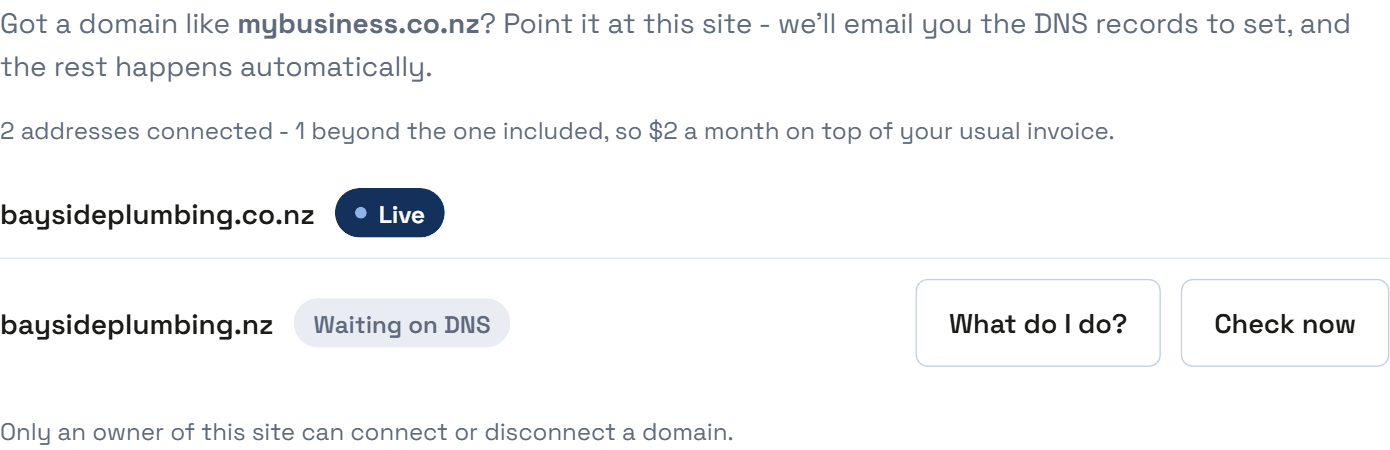
Press Check now beside the domain in your dashboard.
If it still says waiting, open "What do I do?" and compare each record against your registrar.
Check the value has no space on the end. Pasting often brings one along.
Check there is no http:// in the value. These records are not web addresses.
Make sure the records are on the domain you actually connected.
If everything matches, wait an hour and press Check now again.
If it does not go to plan
It works on my phone but not my computer.
That is the wait, seen from two places. Your phone is on a different network which has already caught up. Nothing is wrong.
It worked yesterday and stopped.
Check the domain has not expired. That is the most common cause by a distance and it takes ten seconds to rule out.
There is a field called TTL and I do not know what to put.
Leave it at whatever it defaults to. It controls how long other computers keep their copy, and the default is fine.